
Case study: Our own product · kids learning game
Buddy Island
- Product Strategy
- Game Design & Development
- 3D Character Design
- Branding
- Website
- Reels & Social Marketing
The Idea
Buddy Island is a learning game for kids, designed by kids. The ideas and games came from things kids asked to learn about. The designer built those ideas out.
What We Built
A sunny 3D island kids walk with their buddy. Doors lead into real-life skills: reading, spelling, math, money, engines, engineering, farming, flying, coding, art, cooking, and kart racing. There are 21 walk-in places, plus a Dress Up booth.
The whole island is free to play in a browser. An iPhone and iPad app is coming soon.
How We Built It
Jackall Creative designed and built the game, the explorer boy and girl and their costumes, the marketing site, and the reels. The game runs in a modern browser at buddyisland.app.
Why It Matters
It is a live product that teaches real-life and trade skills as play. It also shows the game, brand, web, and marketing work we do in-house.

The island
Live on the web
Kids walk their buddy around a sunny 3D island and step through doors into games. There are 21 walk-in places, plus a Dress Up booth in the plaza. 18 hidden shells are waiting to be found.
The whole island is free to play in a modern browser. No sign-up. An iPhone and iPad app is coming soon. No ads. No accounts. No chat.
- 21 walk-in places, plus Dress Up
- Free to play on the web
- App coming soon
- No ads. No accounts. No chat.

- 01
Walk the island
A map and signposts help kids find their way. Doors open into lessons and games.
- 02
Grown-up tools
Time limits, tasks, and spelling lists sit behind a grown-up PIN. Progress stays on the device.
- 03
A friendly voice
14,453 recorded voice lines talk kids through the games, so early readers can play alone.
- 04
Coming soon
An iPhone and iPad app is coming soon. Until then, you can play in a browser on a phone, tablet, or computer.
Inside the game
Engineering Lab
Kids walk up to the Engineering Lab and pick a door. Inside are 11 stations, like a compact trade school and tech shop on the island.
Lessons here feed island licenses in 14 trades. Learn a skill, earn a license, then take jobs on the Job Board.
Each station has Junior (4 to 7), Builder (8 to 11), and Pro (12 and up) modes, with 4 jobs per mode, plus badges. After a lesson, a short quiz checks what stuck, with Read to me on every question. The Code and AI Lab runs in the game. There is no outside AI service.
- 11 stations
- Junior, Builder, and Pro
- Licenses for 14 trades

The entrance

All 11 doors
-
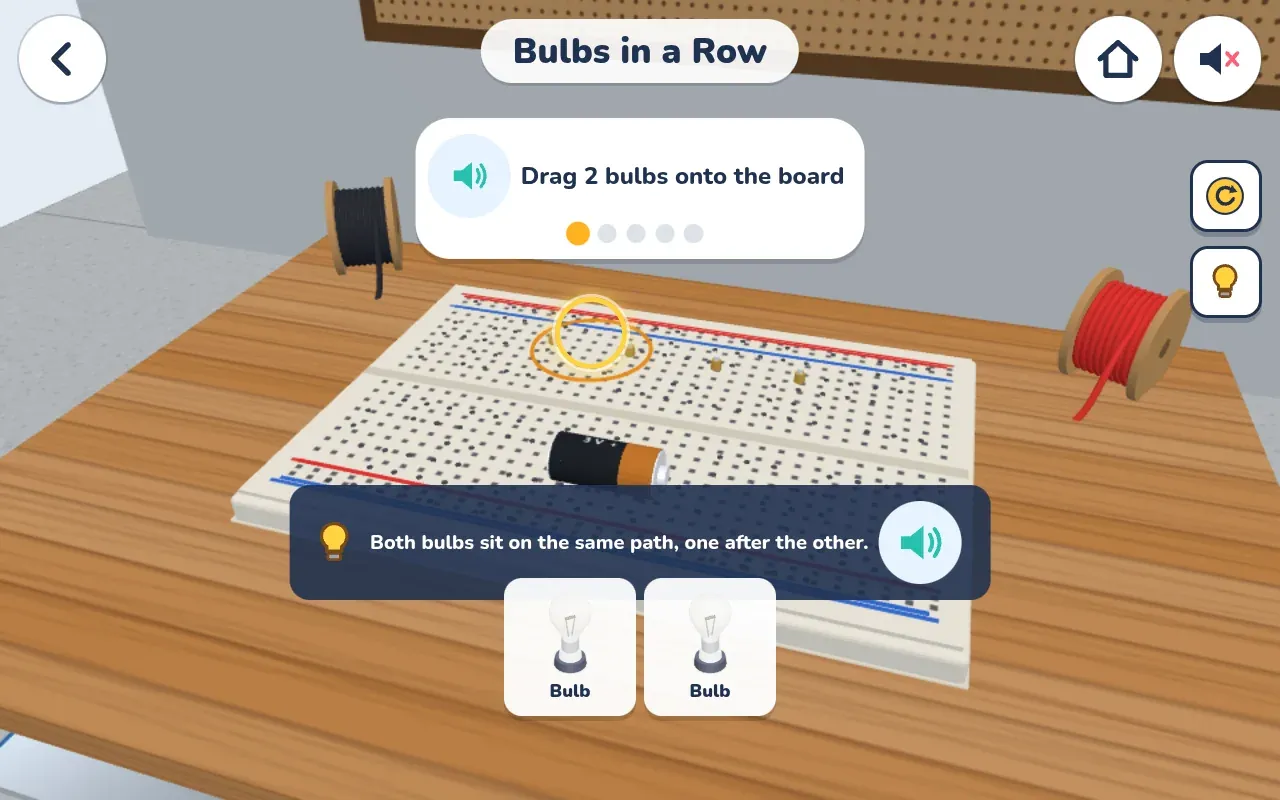
Electrical Bulbs in a Row -
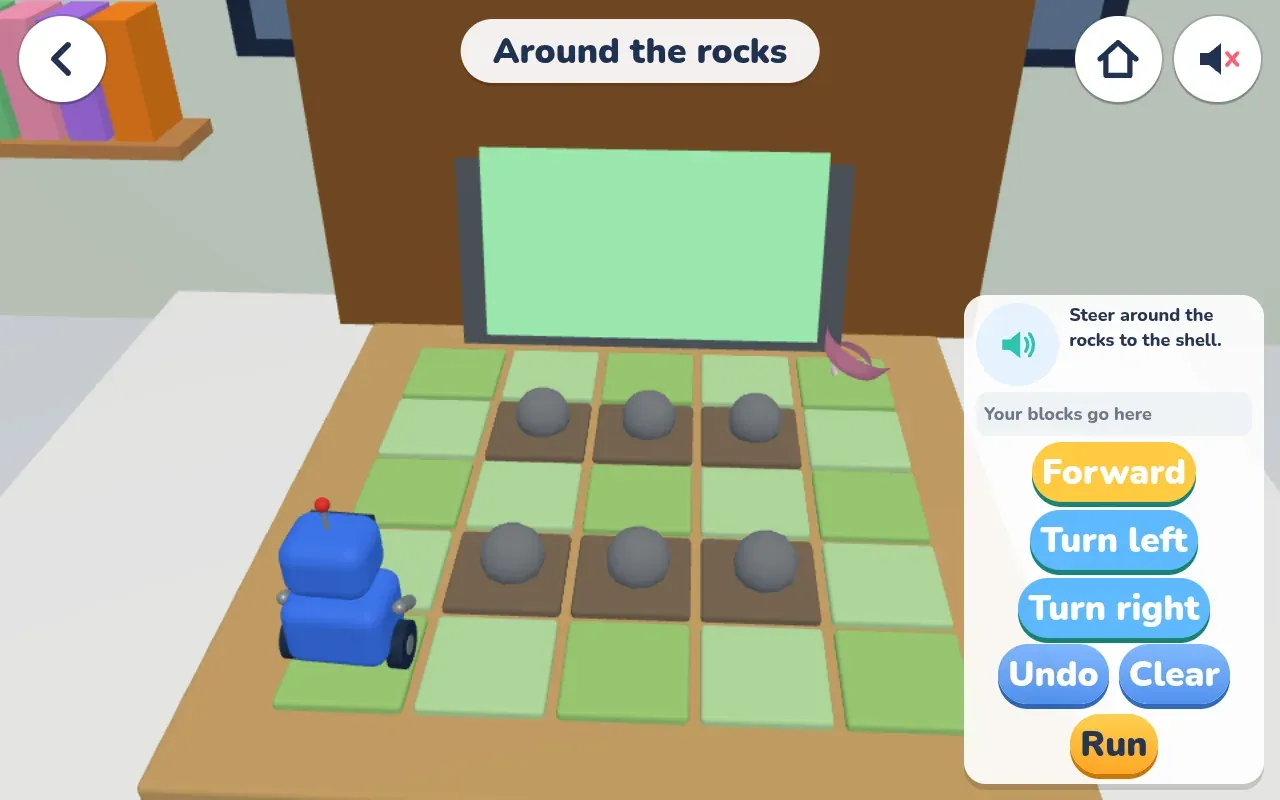
Code and AI Around the rocks -
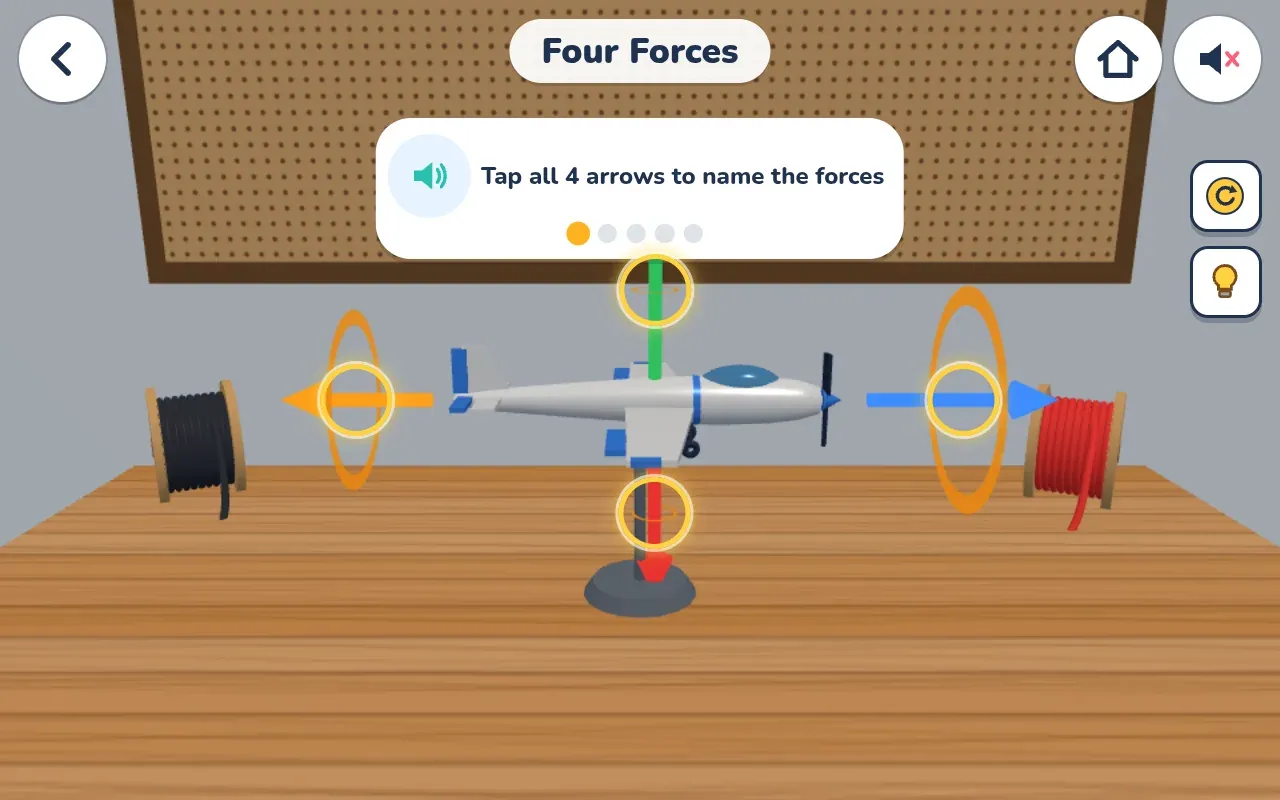
Aerospace Four Forces -
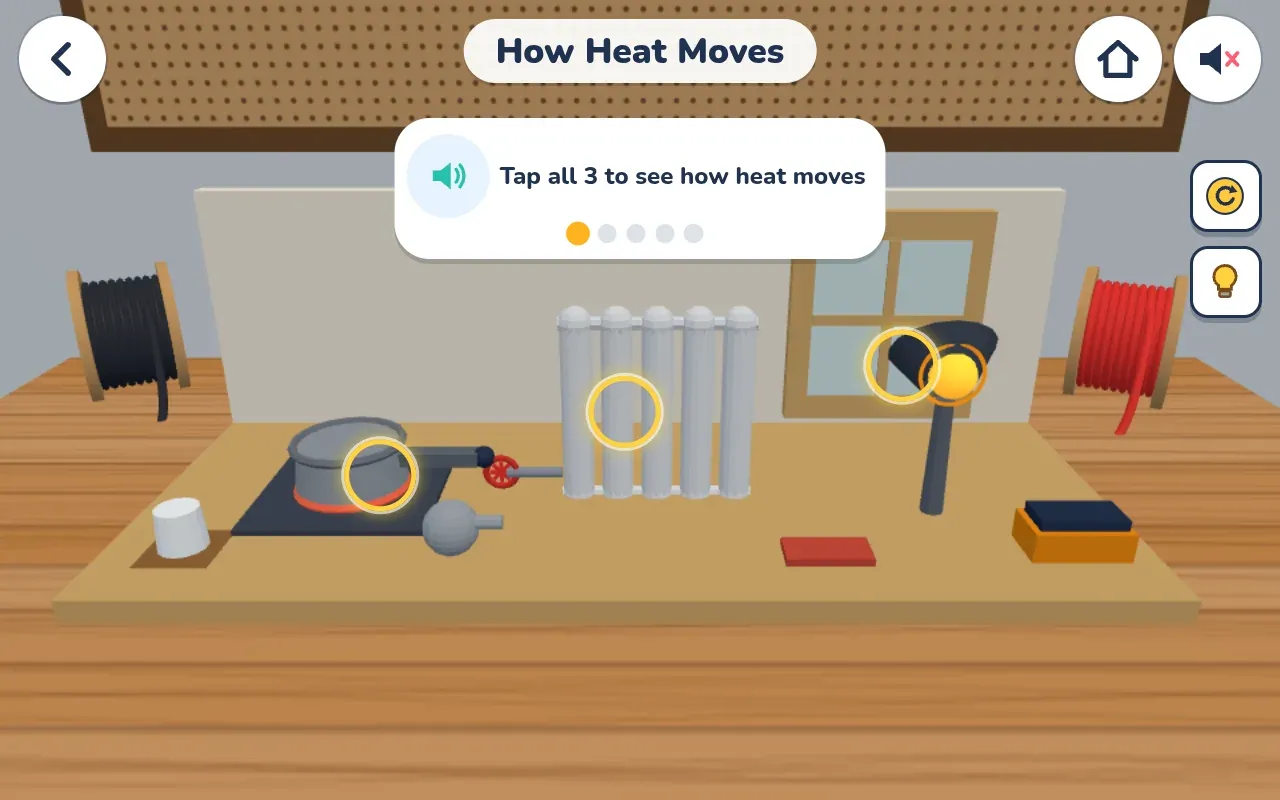
HVAC How Heat Moves


All 11 stations
- 01
Electrical
Circuits, switches, series and parallel, fuses.
- 02
Code and AI
Guiding a robot with block and text code, loops, debugging, plus a Build an AI track.
- 03
Aerospace
Rockets, parachutes, satellites, the four forces, plane controls.
- 04
HVAC
Heating and cooling, thermostats, filters, insulation, how heat moves.
- 05
Welding
A safe pretend version with safety gear, joints, a steady bead, metals.
- 06
Simple Machines
Lever, ramp, wheel and axle, pulley, gears.
- 07
Civil
Bridges, trusses, arches, foundations, load tests.
- 08
Plumbing
Pipes, leaks, drains, the P-trap, the water tower.
- 09
Carpentry and Fix-it
Measuring, nails, square corners, fixing a wobbly stool, hanging a shelf.
- 10
Solar
Panels, sun angle, storing power, the inverter.
- 11
Chemistry
A safe pretend lab with mixing colors, sink or float, states of matter, density.
Inside the game
Engine building
In the Pit Garage, kids build a 3D engine one part at a time. They can pick Rookie or Pro. Turn it on, and a cutaway view shows the pistons moving.
After the engine is running, it is time to race karts on 12 tracks with 8 car types and 4 cups. Unlock Space Race by winning races.
- Build it one part at a time
- Rookie and Pro
- Running cutaway view
- 12 tracks, 8 car types

Inside the game
Shell Bank
Kids earn pretend shells on the island and split them into Spend, Save, and Give jars. A chart shows how money grows over the years, with simple interest next to compound interest.
Older kids can try savings and checking, and a pretend stock market with made-up companies. All money in the game is pretend. The Shell Bank teaches money ideas. It is not financial or investment advice.
- Spend, Save, and Give jars
- Simple and compound interest
- Pretend shells only

Inside the game
Buddy School
Buddy School is one of the 21 walk-in places on the island. Kids can open Math, English, and Science, and check a homework list.
Inside a subject, they work through short practice steps. One science practice is on the five senses, with a question and picture choices.
- Math, English, and Science
- Short practice steps


Inside the game
Farm Ground
Kids grow a whole crop year on Farm Ground, from safety and soil tests to harvest and selling grain. Each step explains why farmers do it.
All farm money is pretend.
- A full crop year
- Safety first
- Pretend farm money

Inside the game
Reading Nook
A quick check places a kid, then 14 levels move up or down as they read, from letters and sounds up to longer stories.
A friendly voice can read along, so early readers can play alone.
- A level check to start
- 14 levels
- Read to me

Inside the game
Parent controls
Grown-ups can set daily play time for school days and weekends, limits per place, bedtime hours, break reminders, and a learning-first rule, all behind a PIN. The controls are simple on purpose.
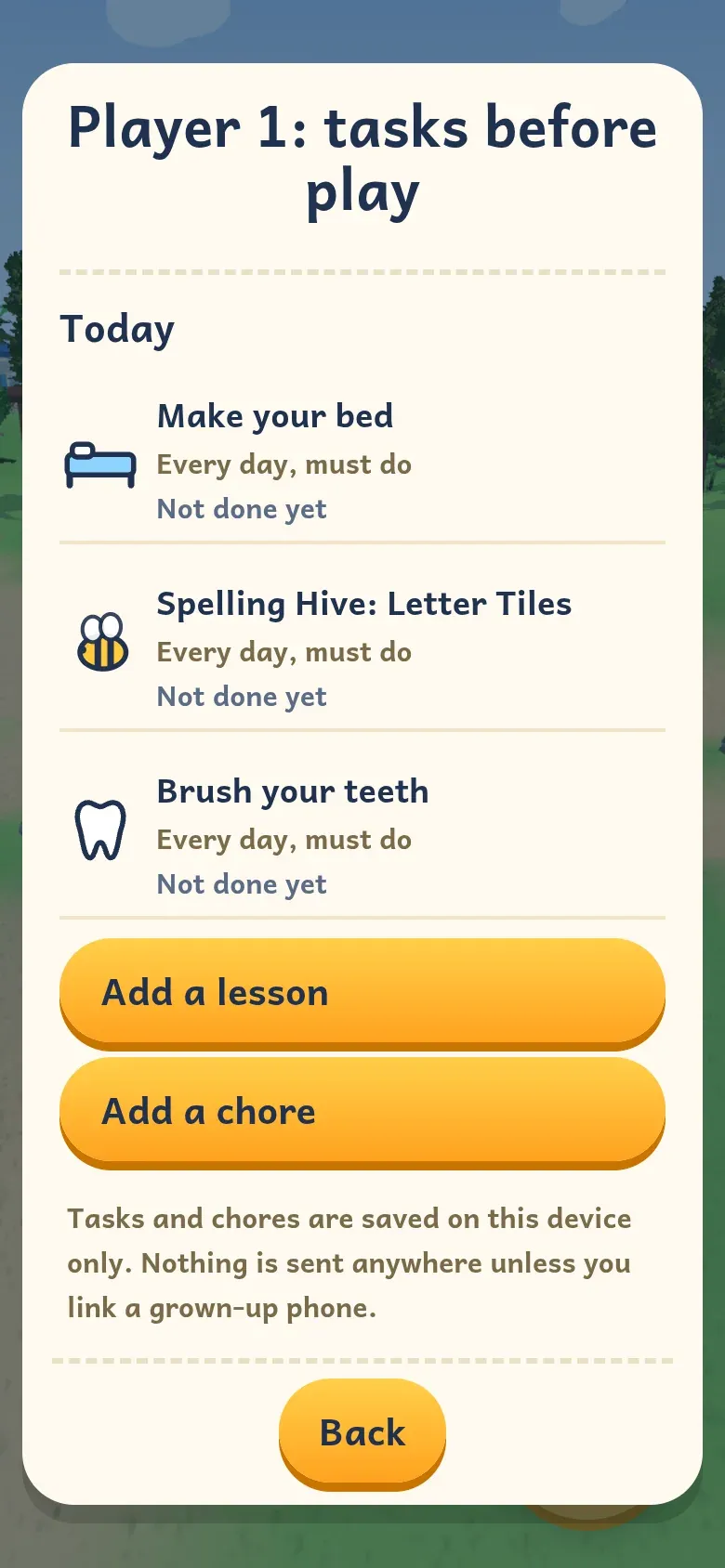
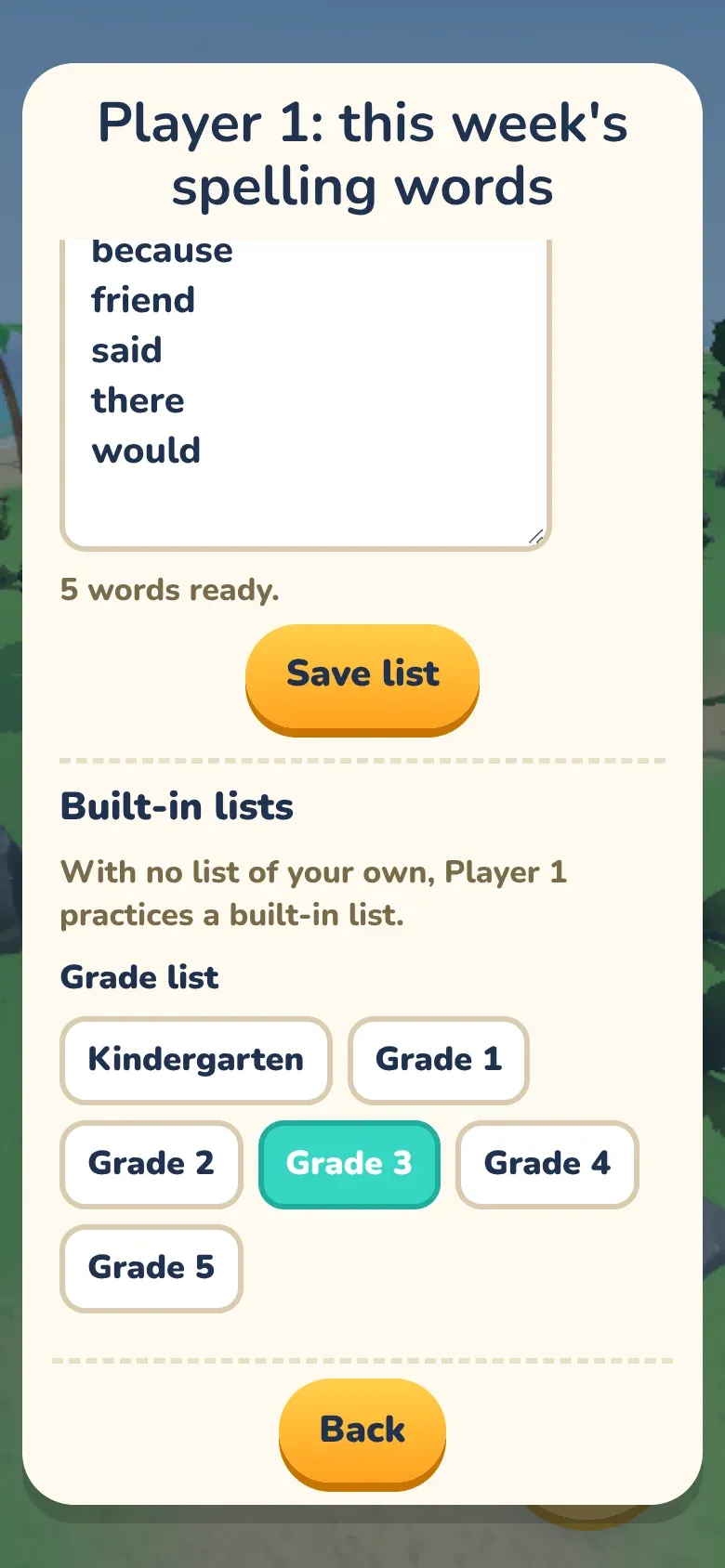
They can also assign lessons and chores before fun games open. A kid checks off a chore, and a grown-up OKs it. Type in this week's school spelling words, up to 25, or use built-in lists for grades K to 5. Kids can practice 5 ways.
A 7-day play report stays on the device. An optional Grown-up phone can send tasks and OK chores. It is off until it is linked. Kids show as Kid 1 and Kid 2. No names, ages, or play data are sent.
- Time limits you set
- Tasks and chores
- School spelling words
- Report on the device


- 01
Time limits
Set a daily limit, limits per place, bedtime hours, and break reminders.
- 02
Tasks and chores
Ask for lessons and real-life jobs, like make your bed, before fun games unlock. A grown-up taps OK.
- 03
Spelling words
Type the week's list, or use a built-in list. Five practice modes, including a Practice Test.
- 04
On the device
Settings and reports stay on the same device. There is no account and no sign-in.
What Jackall did
Designed, built and marketed in-house.
- 01
Game design and build
Designed and built the 3D island, the lessons, and the games, including trade skills, reading, spelling, money, and grown-up tools.
- 02
Characters and costumes
Designed the explorer boy and girl and their costumes. Kids pick a buddy and dress up, from Viking to Superhero.
- 03
Brand and icon
Created the Buddy Island wordmark and the B icon used on the site and in the game.
- 04
Marketing site
Designed and launched the about page at buddyisland.app/about, with clear copy for parents.
- 05
Reels and social
Made short vertical videos of real play, ready to post when Jared says they are good to go.
- 06
Grown-up tools
Built time limits, tasks, spelling lists, a play report, and an optional Grown-up phone, all without an account.
Inside the game
Real screens from Buddy Island.
-
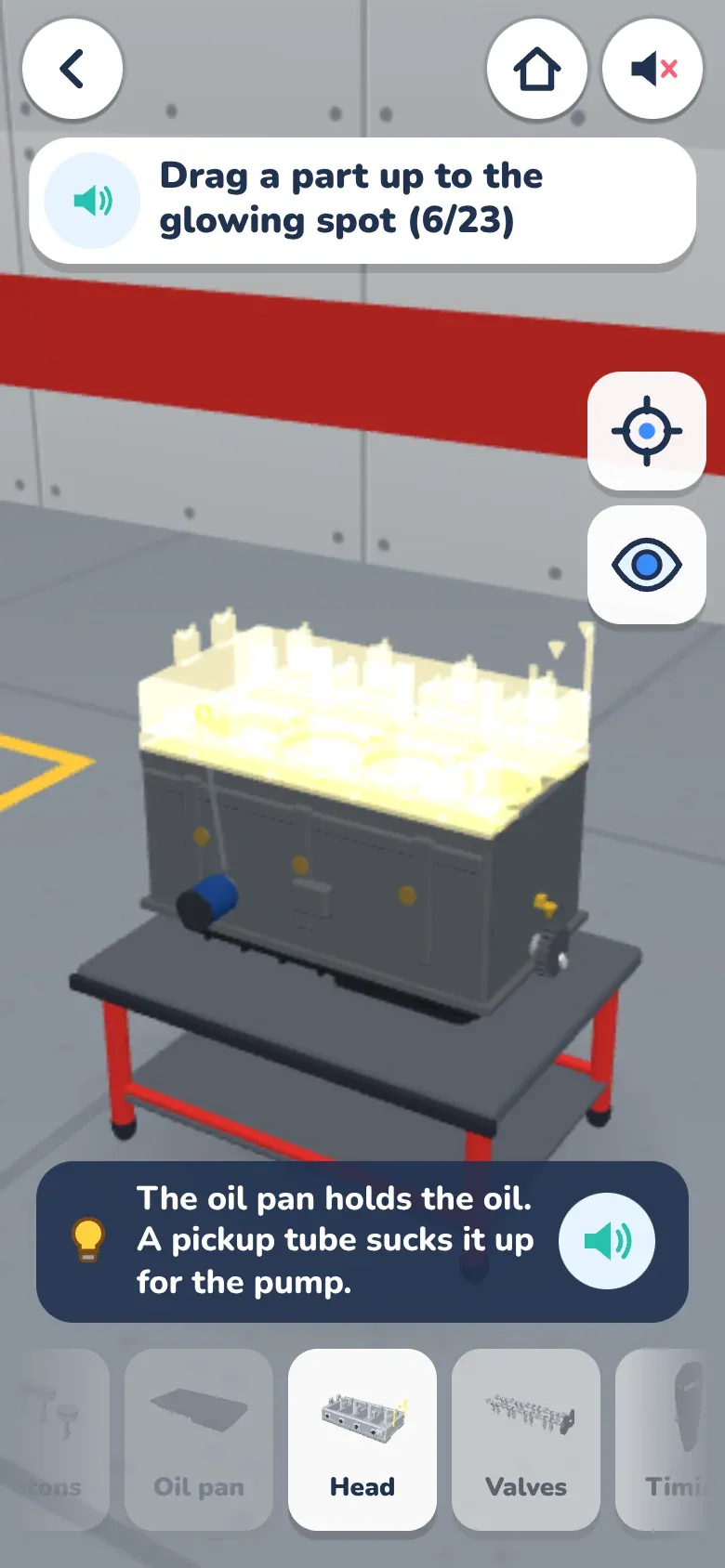
Engine building -
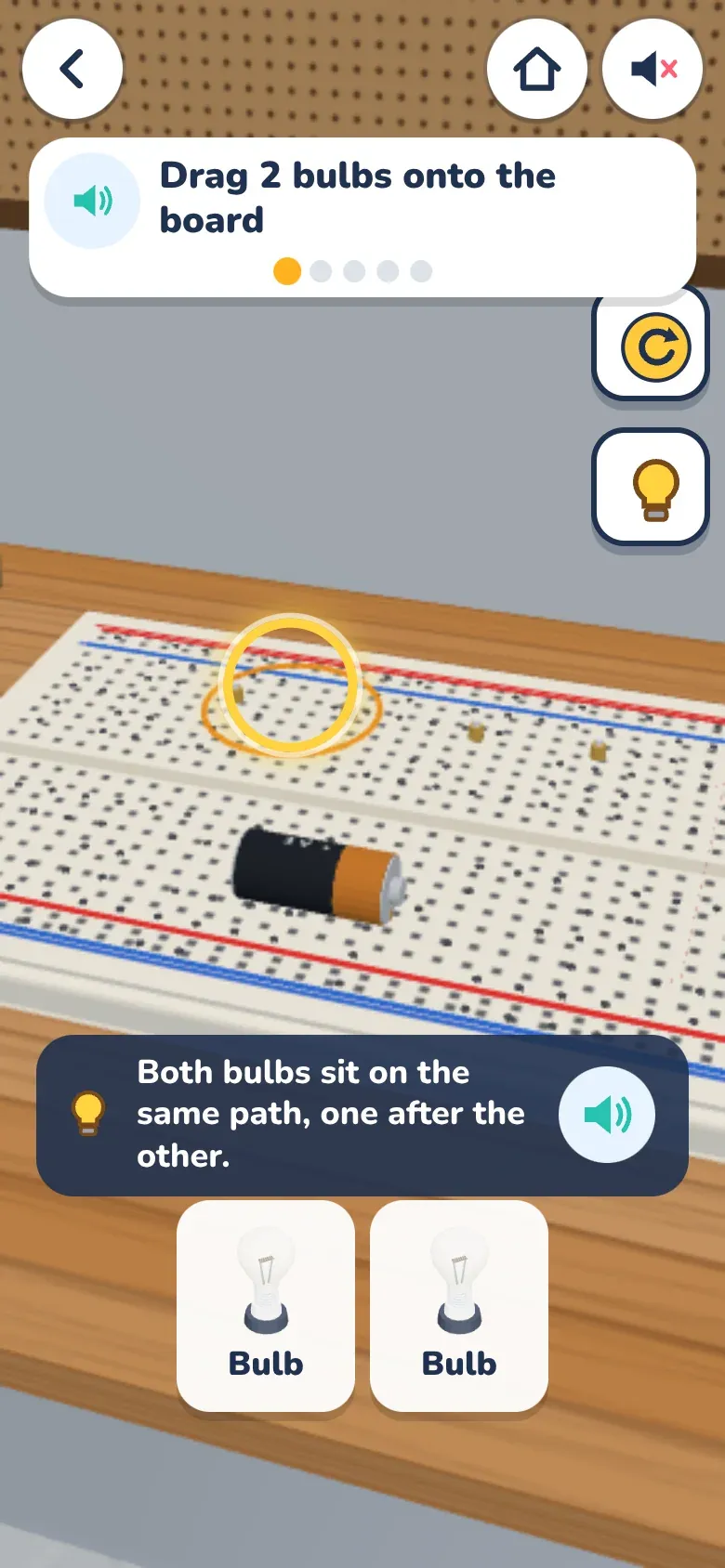
Engineering Lab -
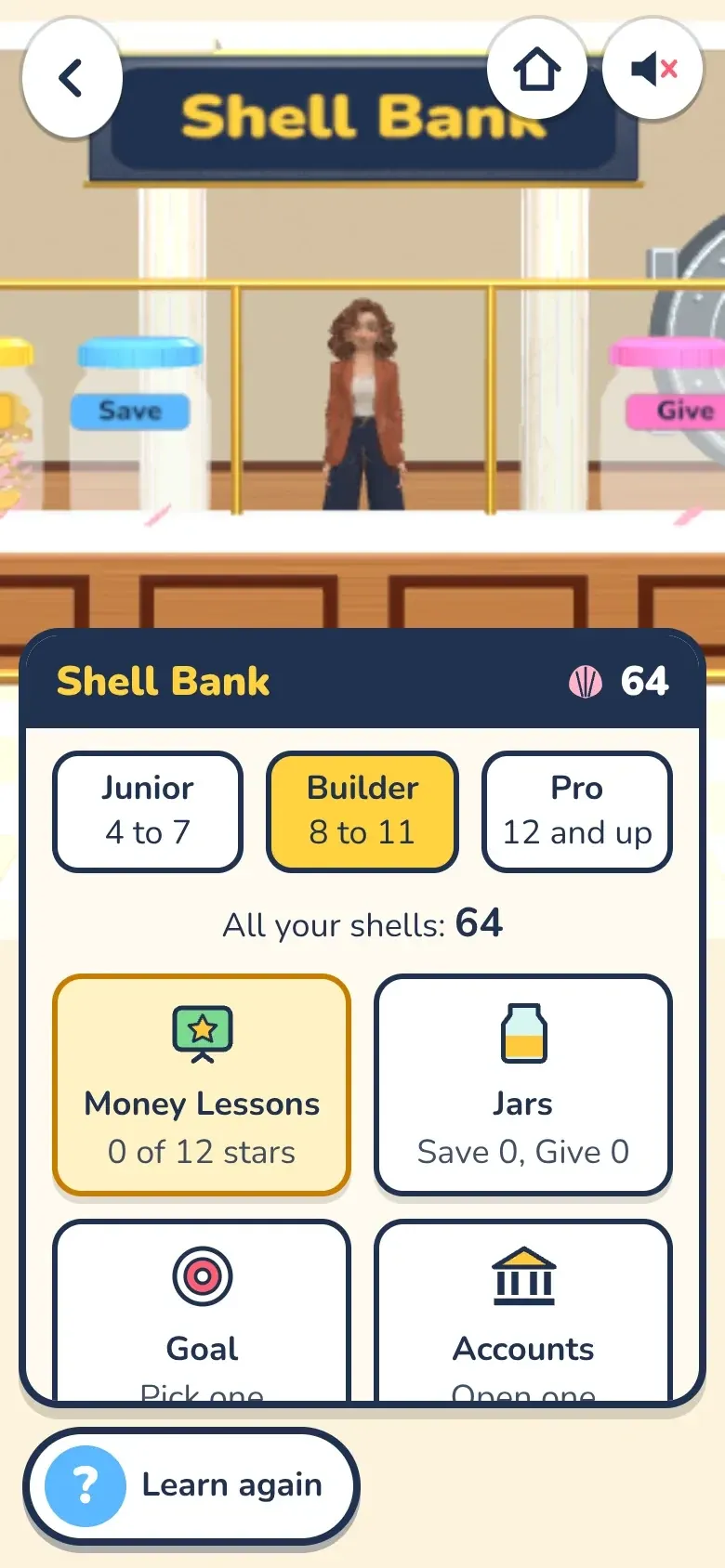
Shell Bank -
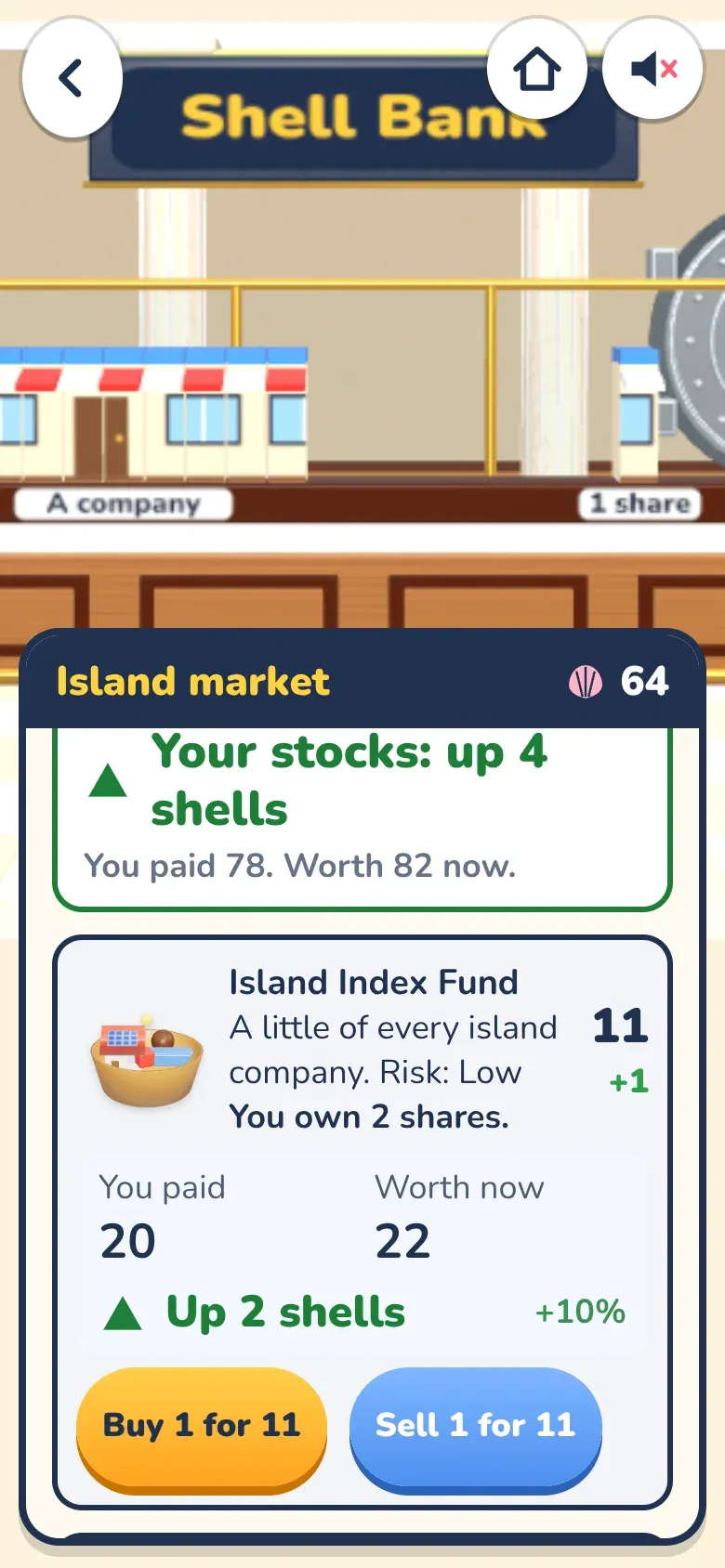
Island market -
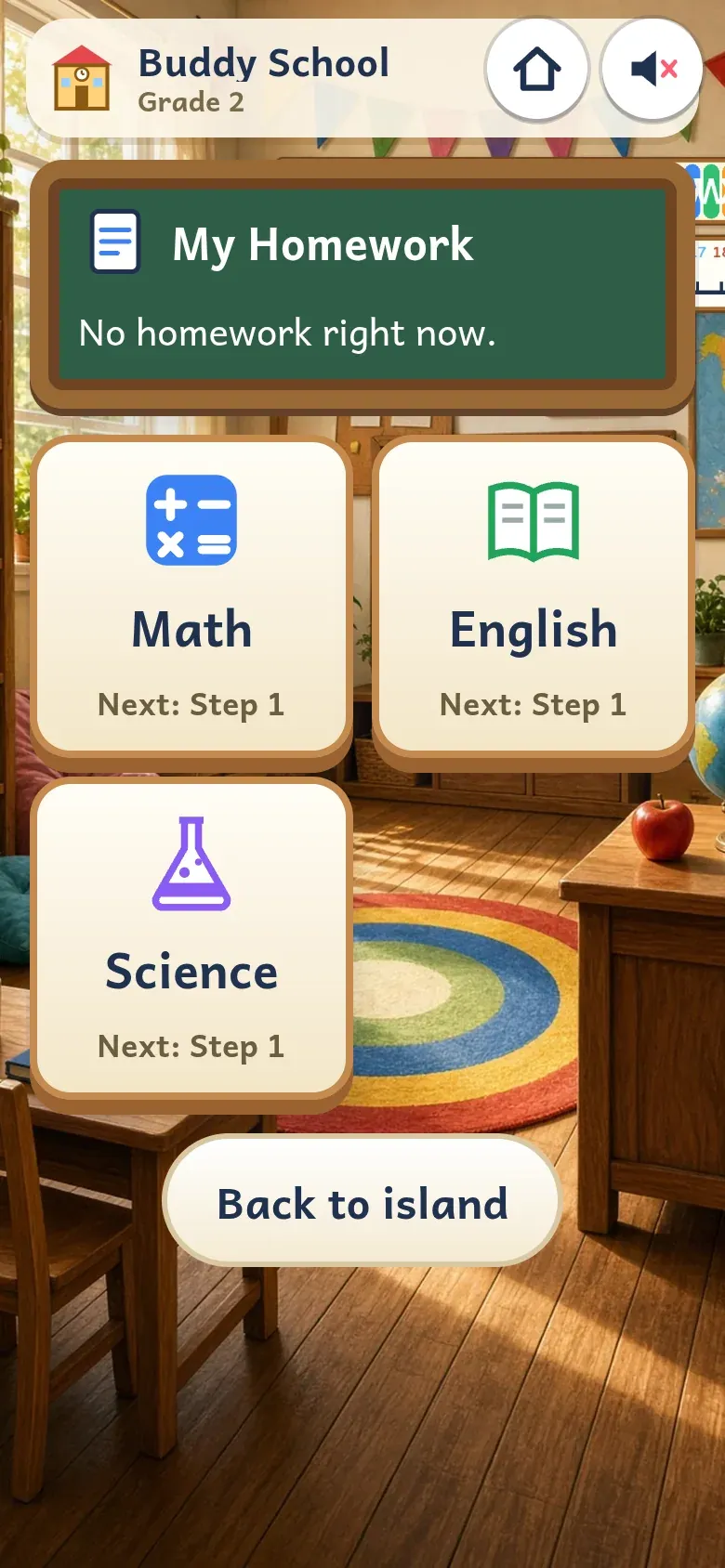
School home -
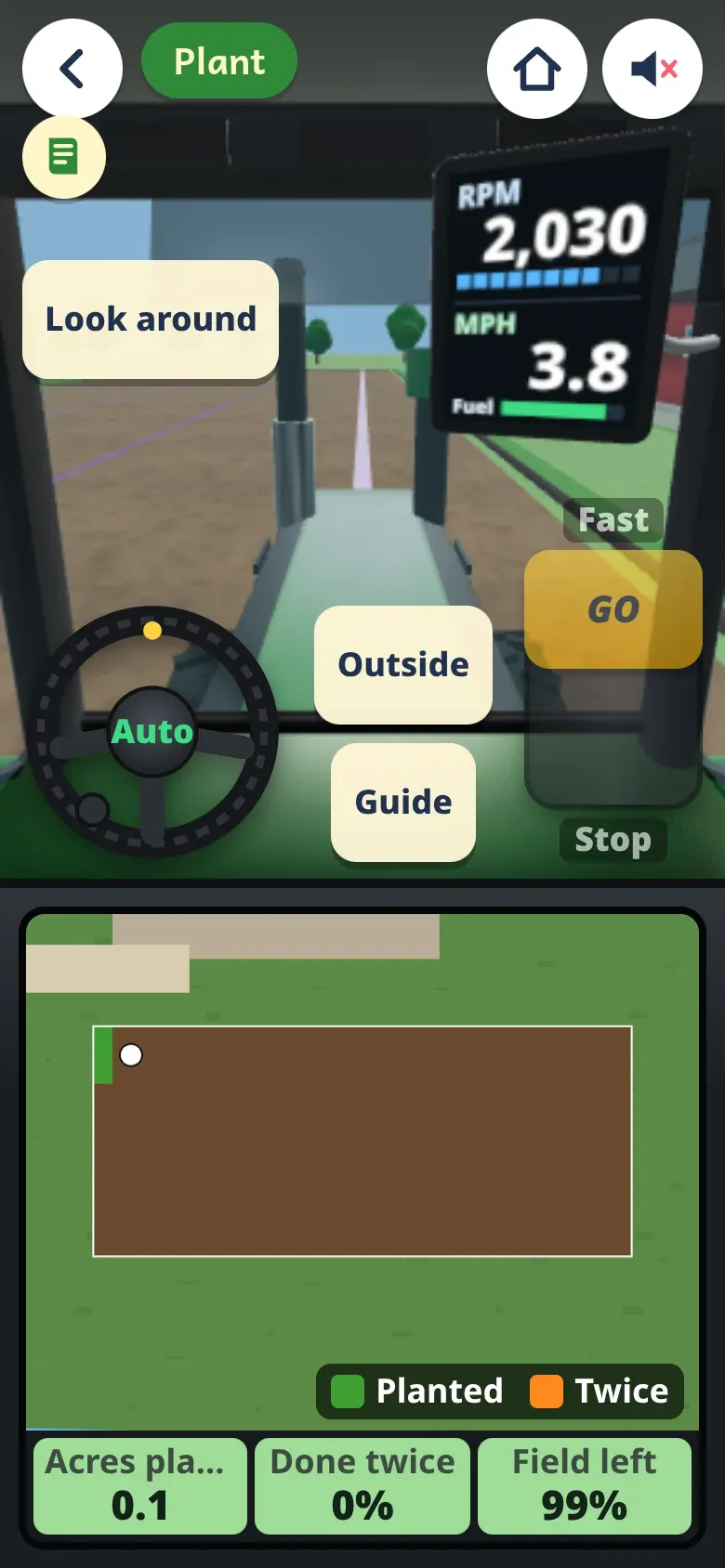
Farm Ground -
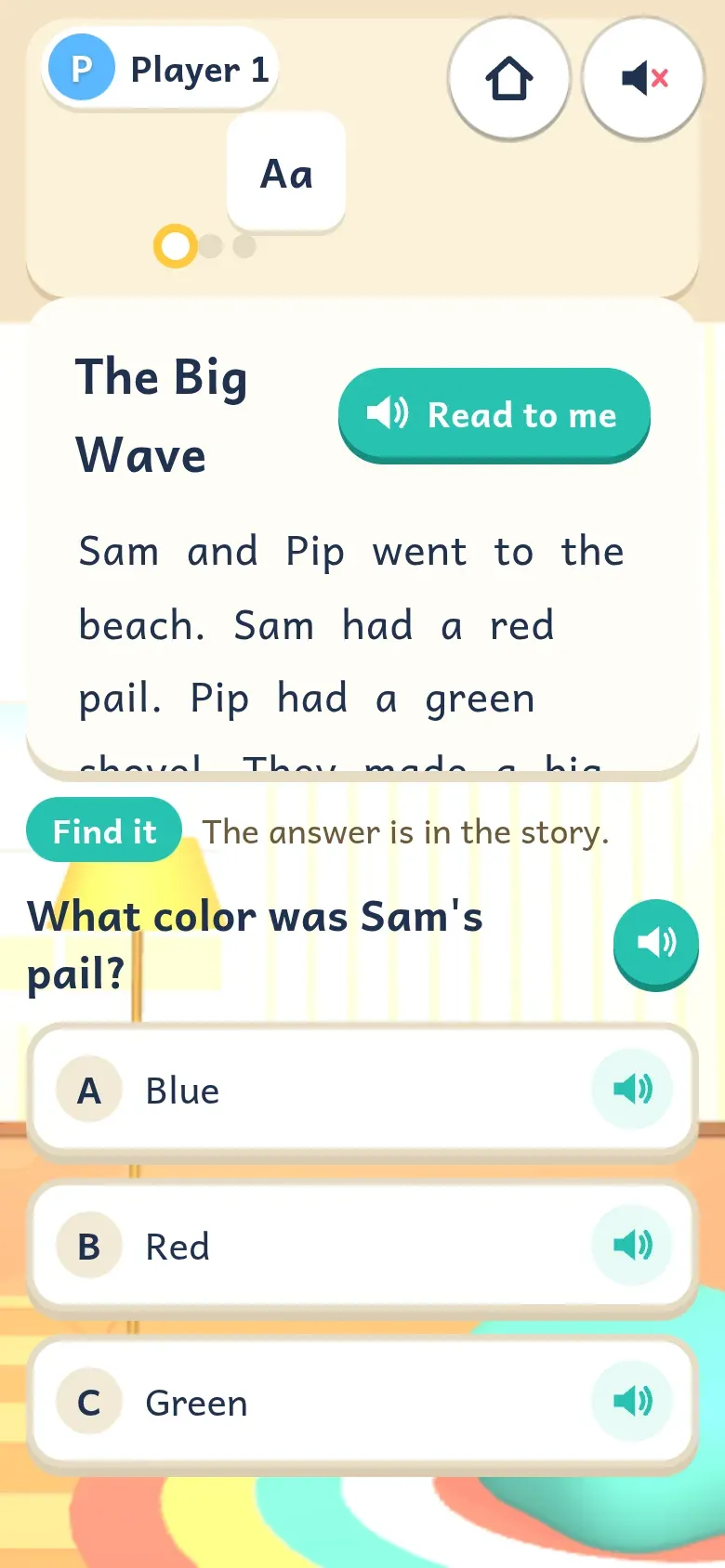
Reading Nook -
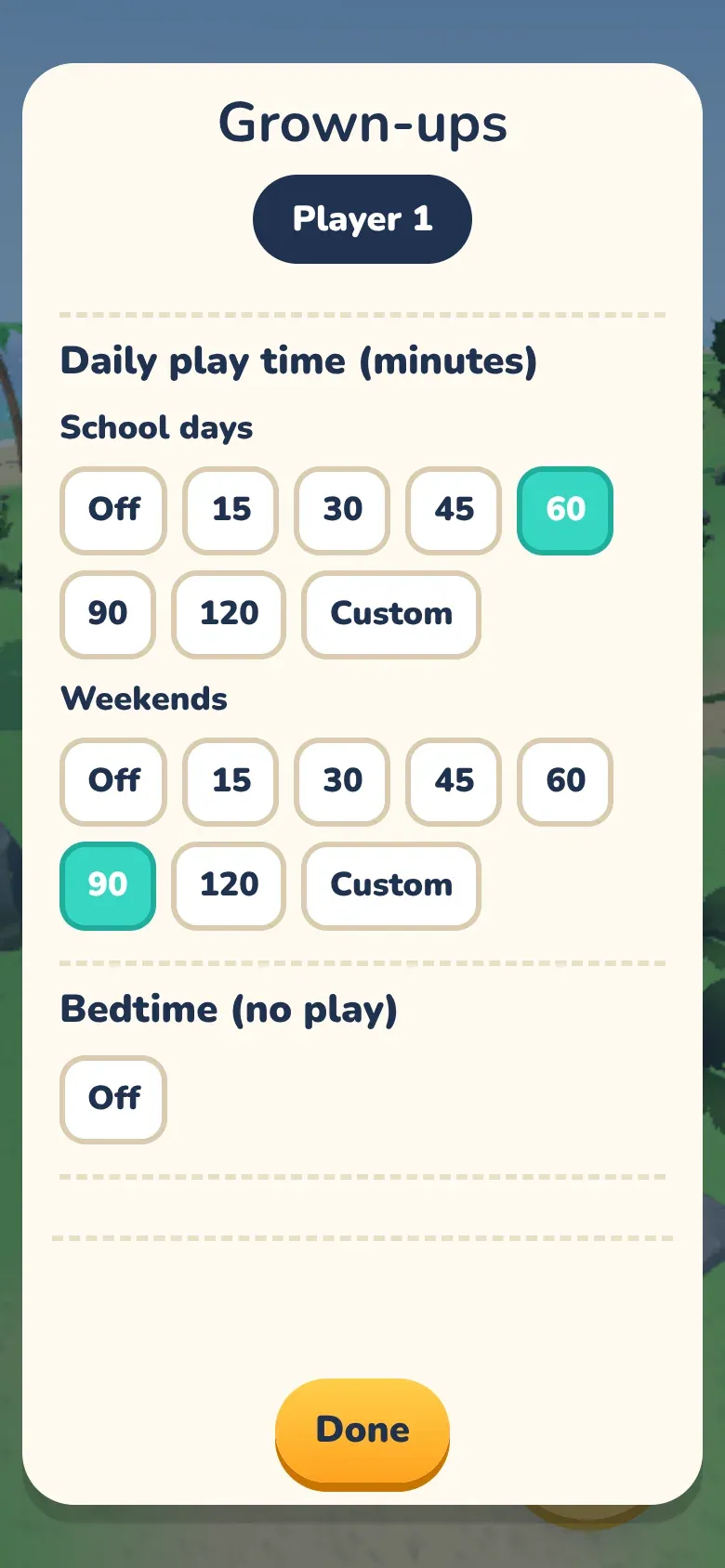
Time limits -
Tasks and chores -
Spelling words


Features
What Buddy Island does.
Designed by kids
The ideas and games came from things kids asked to learn about. The designer built those ideas out.
21 walk-in places
Plus a Dress Up booth in the plaza. Kids pick the explorer boy or girl, then unlock costumes. The Superhero can fly.
14 island trades
Each license goes from Apprentice to Journeyman to Master. Learn a skill in the lessons, then take jobs on the Job Board.
20 Woodshop projects
Kids measure, cut, and build, step by step. This is pretend woodworking on a screen. Real tools always need a grown-up.
Math you can play
Number Run and Snake Math are live, along with Block Lab. Levels move with how the kid plays.
7 flying lessons
At Island Airport, kids learn in a cockpit view, then free fly over the island.
14,453 voice lines
A friendly voice talks kids through the games. Read to me is there when they need it.
No ads. No accounts. No chat.
Progress is saved on the device you play on. It does not sync between devices.
Gameplay
A walk into the Engineering Lab.
The tech
How it’s built.
- 3D engine
- Three.js and Vite. The game runs in a modern browser.
- Web
- Delivered on Cloudflare Pages at buddyisland.app. The about page is at buddyisland.app/about.
- iPhone and iPad
- The app is built with Capacitor. It is coming soon and is not on the App Store yet.
- Voice
- 14,453 recorded voice lines, built into the game.
- Privacy
- No ads. No accounts. No chat. Progress stays on the device.
- Made by
- Jackall Creative, an Iowa company.